Raptors Membership Credits
I make it easier for Raptors members to view and spend their account credits.
The Problem
Account credits was not easily accessible
As a season ticket holder you have the option to sell your tickets for every game. When you sell your tickets, your account is credited with the amount you sold them for and this credit can be put towards next seasons membership fee. However, this account credit is extremely difficult to access and requires calling your account representative to either withdraw the money or put towards more tickets.
Discovery
Shifting the mental model of Raptors members was required
Discovery sessions with stakeholders and users showed a few things.
1 - Members had grown accustomed to calling their account representatives for their credit.
2 - Members wanted the ability to use these credits.
3 - Members believed they should have access to these credits in the Raptors membership portal.
.png)
Goal Setting
Making credits accessible
Our goal was to unlock all this credit for fans to use however they want. This includes spending on tickets, concessions, and merchandise. The metric that measures the success of our product would be the percentage of stored credits spent.
A Minimum Viable Product
Building on the Raptors Membership Portal minimizes effort spent learning
Placing access to credits within the membership portal made the most sense. Users have already spent time learning how to use the portal. Additionally, discovery sessions with members showed this is where they would go for their account credits. However, providing access to credits requires an adjustment of flows within the portal.
As a Raptors member, I want all my available credits stored on my main membership card.
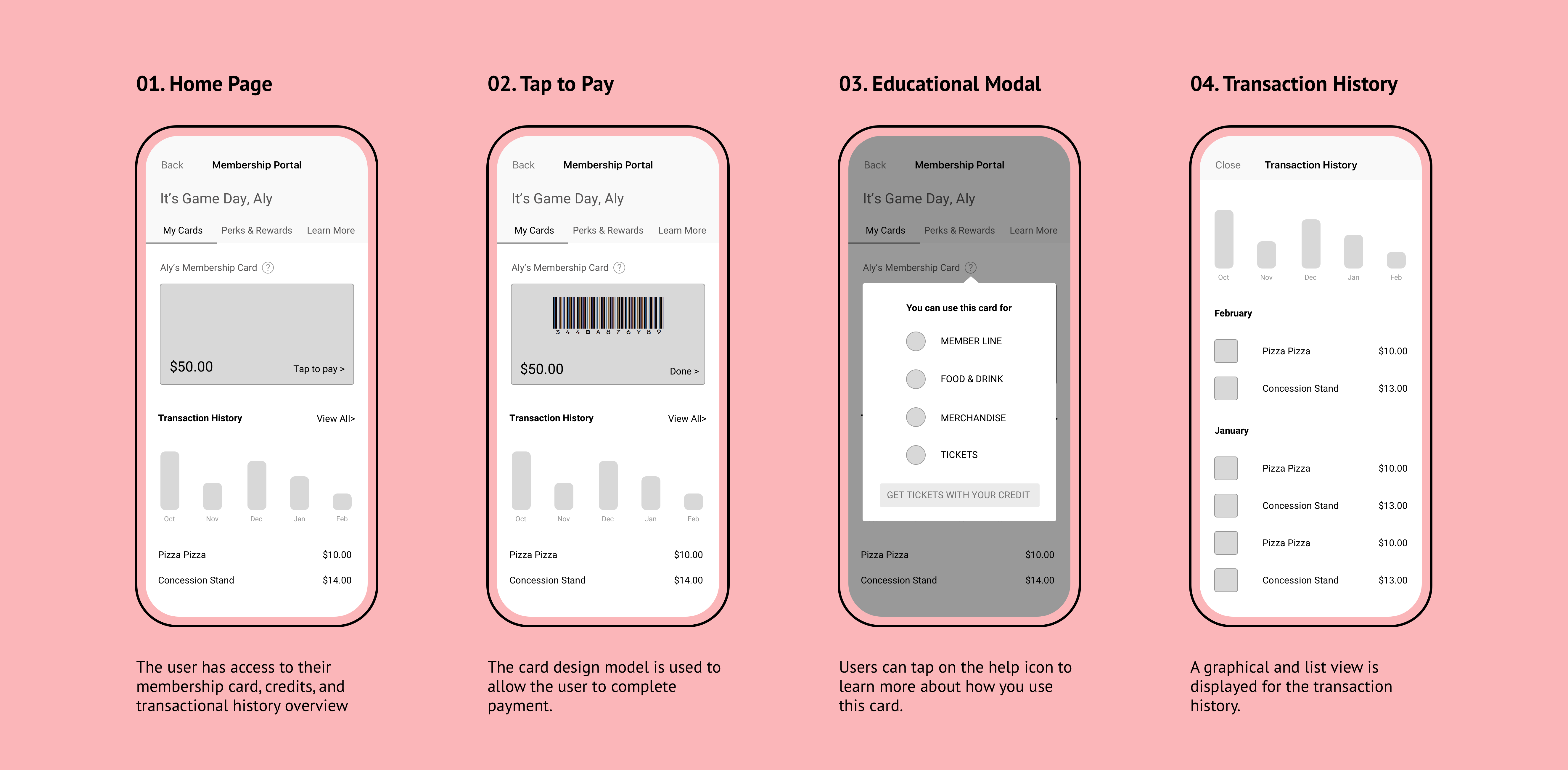
The single card model simplifies any available credit into the main membership card. We'll do the confusing credit combination on the back-end for them. A graphical view of the transaction history is also presented to help understand spending. The membership portal is now broken down into tabs to organize information.
As a Raptors member, I want my account credits stored on my main membership card and my food & beverage voucher on a separate card.
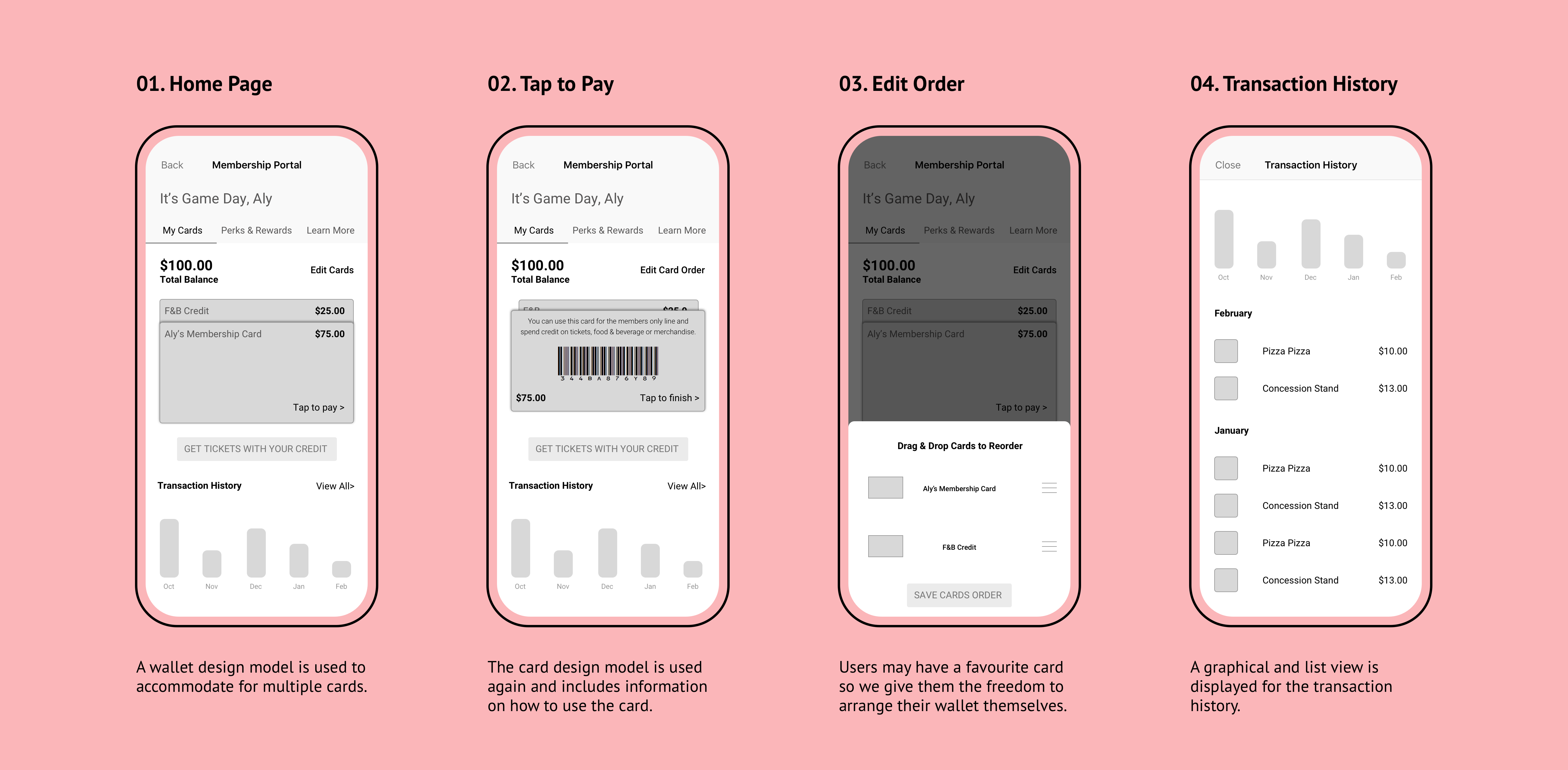
The wallet model is similar to the previous flow but breaks up the members' credit into separate cards. The educational component is incorporated into the card model by providing "how to use" details on the back of the card.
Testing & Feasibility Checks
Separating credits reduced confusion and was more feasible
We conducted usability testing with internal employees as well as some Raptors members. Feasibility checks were also done to ensure we weren't developing solutions that couldn't be built. We learned:
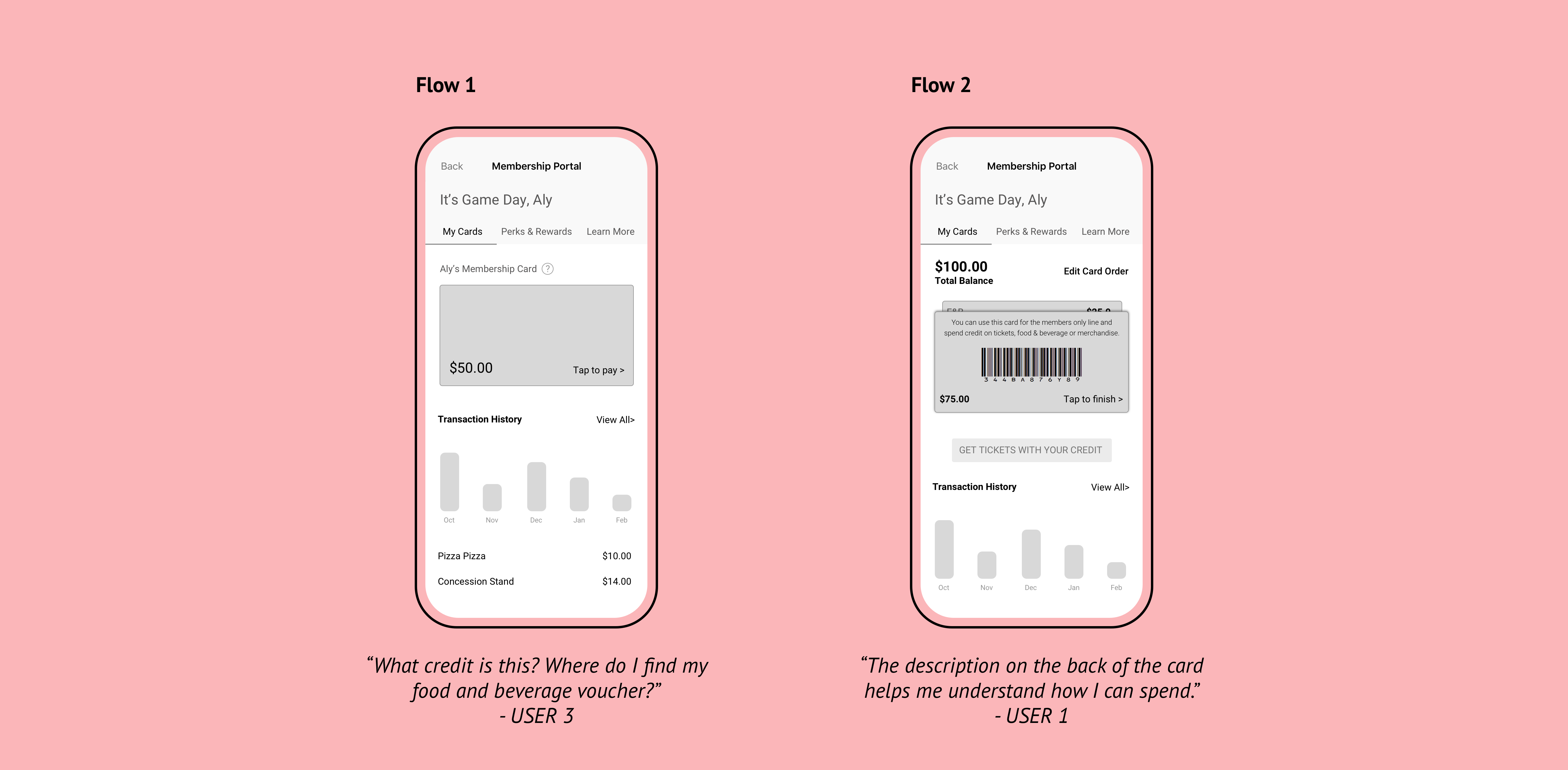
1 - Users wanted to know what credit they were spending. Having one card with combined credits created confusion around if they were spending their account credits or their food & beverage voucher. Assuming that one card would make it easier on users was incorrect.
2 - It was not feasible to combine the account credits and the food & beverage credits. Additionally, it was not feasible to pull the transaction history.
3 - Educating users on what their credits could be spent on also reduced confusion.
Adjustments & Proposed Solution
Using a wallet design pattern was clear and allowed for scalability
Separating credits into multiple cards made it very clear and usable to members. It also gave us the option to provide more cards and vouchers to our members. This will pave the way for features such as gift cards and coupons.
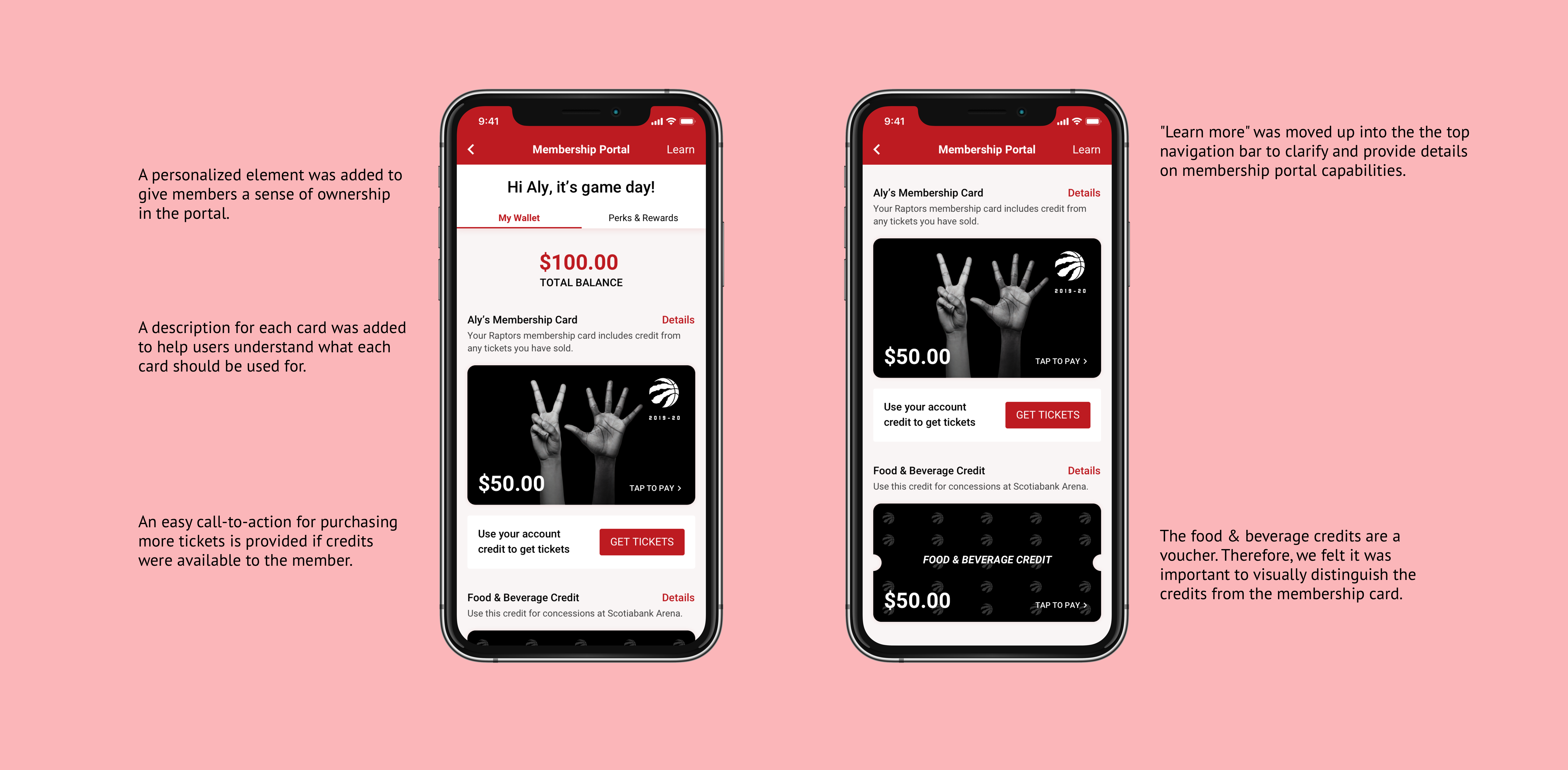
The design of the home page was modified to prioritize displaying available credits and information on each card. Payment is always one click away for users by either tapping on the card or clicking on the details button. Building on the card design pattern, the membership card flips over to display a scannable barcode If the members clicks "Tap to pay".
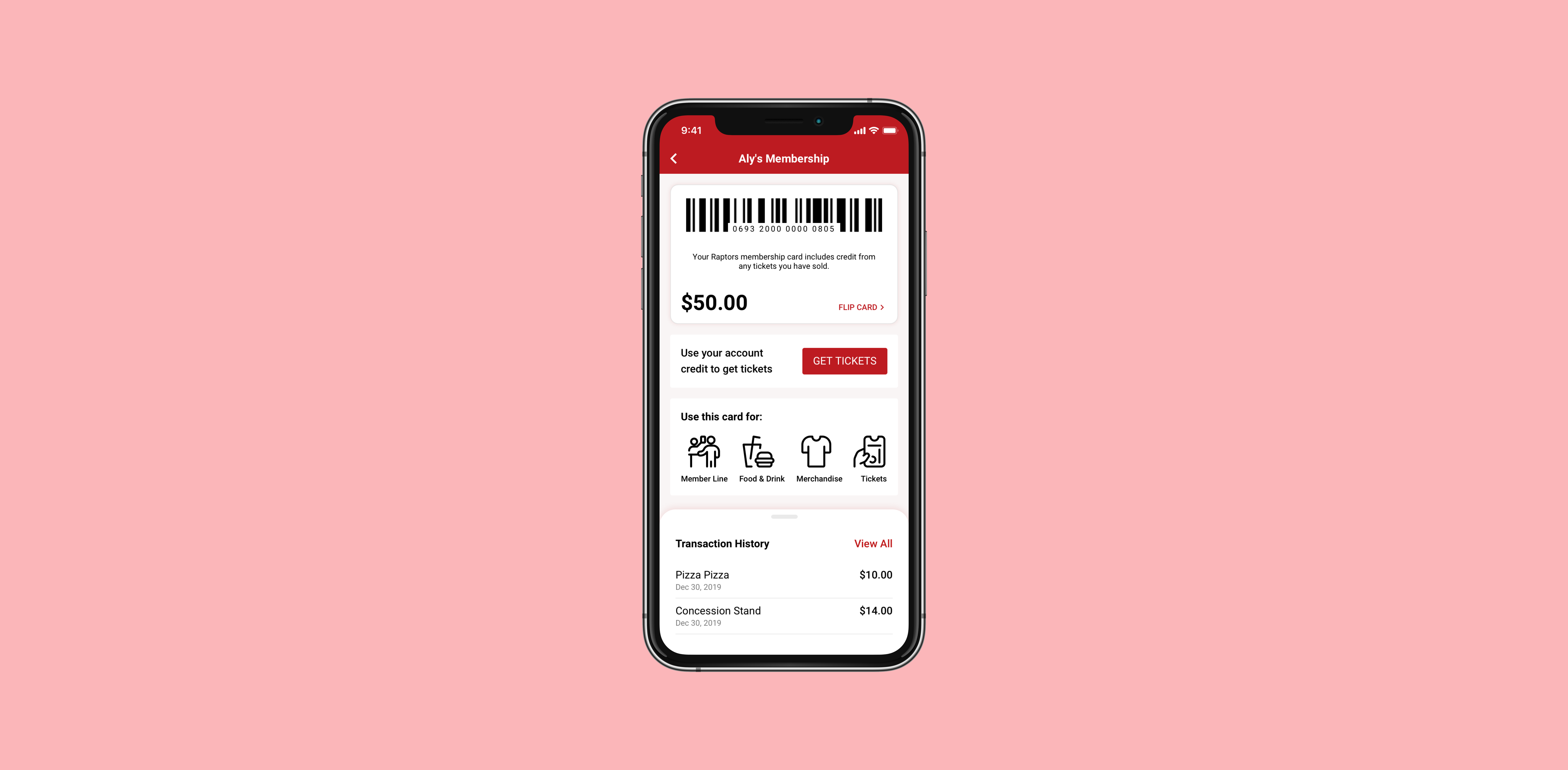
The card details page provides more information to members about their card and what they can do with it. A list view of transactional history is also shown here to provide them with a view of their previous purchases for this card. The graphical view was removed as users found that this visualization made them feel overwhelmed by their spending history. Members can scan their card for payment as well as purchase additional tickets from this page.
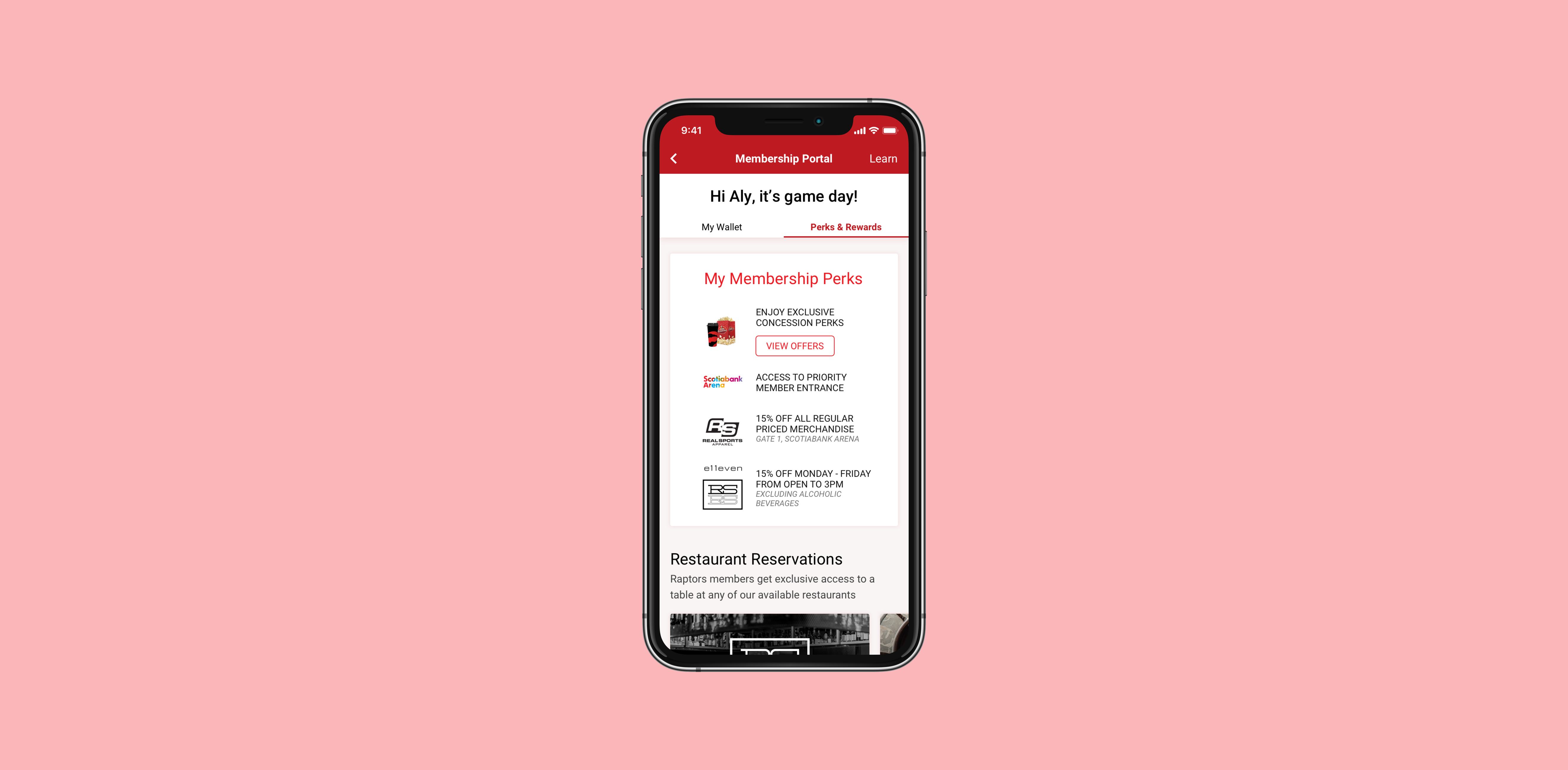
The Perks & Rewards tab houses all the information regarding membership benefits. Members can redeem offers as well as reserve spots at our premium restaurants.
Click here to view the full high fidelity prototype.